Guides
Looking for Letterboxd for games?
Want somewhere to log games the way you log films on Letterboxd? Cartridge is a free game-tracking app for iPhone: keep a backlog, rate and review what you play, and share collections called Stacks. If your next game keeps turning up on TikTok or YouTube, you can save the link to Cartridge and check the identified game before adding it to your Library.
By Cartridge · Published · Updated
A guide by Cartridge. Sources and methodology.
What does “Letterboxd for games” mean?
It’s a useful description of a habit: remember what you played, decide what to play next and share your taste. Letterboxd centres that experience on films, with a diary, ratings, reviews, lists and a watchlist. A game tracker gives your games a similar home.
The phrase describes a category, not an official Letterboxd games product. Cartridge is independent and is not affiliated with Letterboxd. You don’t need to use the phrase to enjoy the app: track, review and share games.
| What you want to do | How to start in Cartridge |
|---|---|
| Keep a watchlist-style queue | Add games to Want to Play in your Library. |
| Remember what you finished | Update the game’s status, then add your rating and review. |
| Make a themed list | Create a Stack with a name, games and your own notes. |
| Share a recommendation | Send a Stack as a card or a public link. |
| Save a discovery from your feed | Share or paste a supported social link, check the match and save the game. |
Start with Cartridge if your backlog lives on your phone
A saved Reel here, a screenshot there, a game name buried in a group chat. Cartridge brings those discoveries into a Library you can come back to when you’re ready to play. Search for a title you know, or use a TikTok, YouTube, Instagram or Reddit link to help identify it.
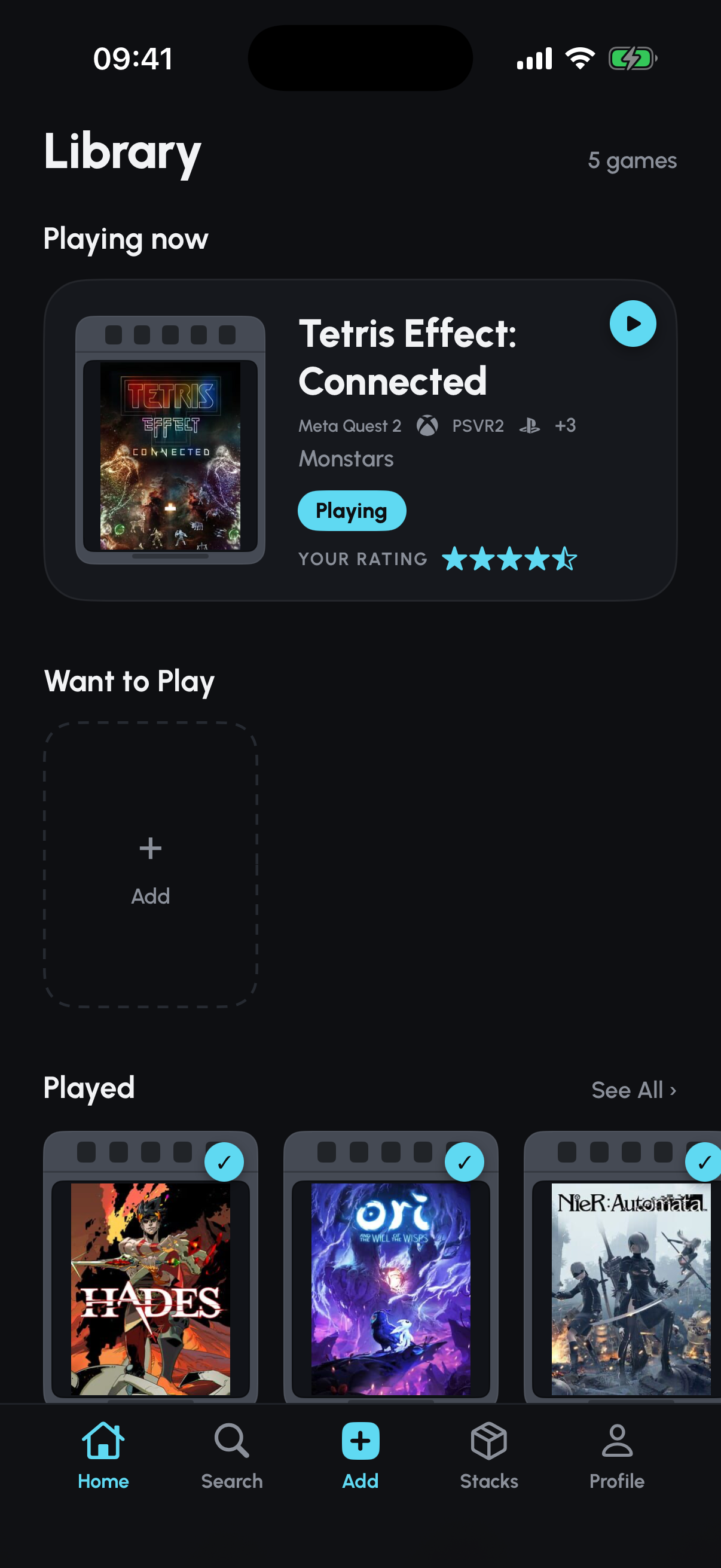
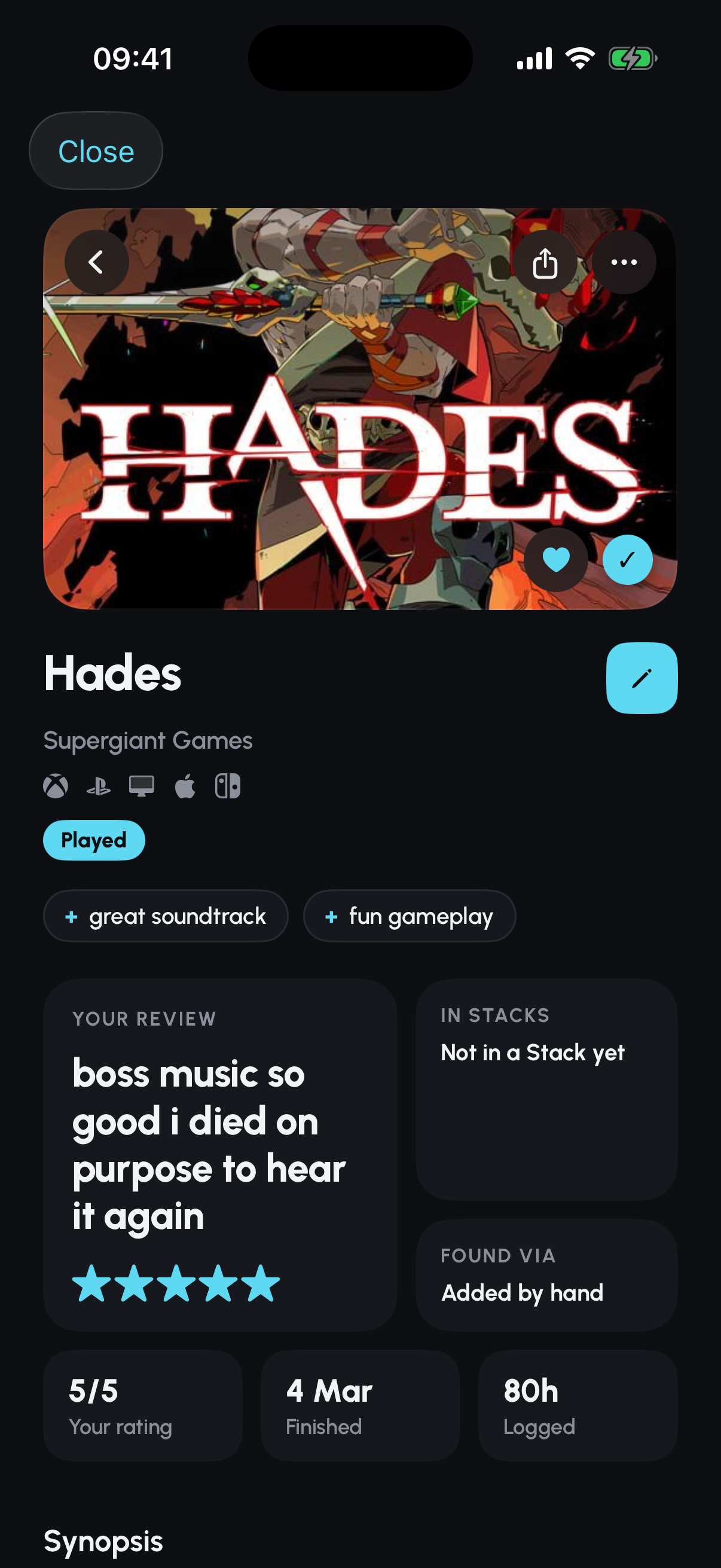
Your Library separates games you want to play from games you’re playing or have played. Ratings and short reviews keep your opinions attached to the game. Stacks turn those opinions into collections you can send to a friend: couch co-op picks, short games for a weekend or your favourite soundtracks.
Cartridge runs on iPhone with iOS 26 or later, but it tracks PC and console games too. It isn’t a game store, emulator or desktop Library editor. You’ll need an account to save your Library; you don’t need friends on the app to start.
Which game tracker fits the way you play?
Our recommendation is Cartridge if you want an iPhone Library that connects social discoveries, reviews and shareable collections. If you need a different platform or logging style, these are worth considering too.
Backloggd is a browser-based option with ratings, reviews, lists and detailed playthrough logs. Its journal and play-session tools are worth a look if recording individual runs matters more to you than a native phone app.
Tier offers iOS and Android apps with game tracking, reviews, lists and a tier-based rating approach. Consider it if letter grades such as S and A match how you like to rank games.
Logg offers mobile game tracking with a diary, reviews and lists. It’s another option to explore if you want a journal for your play history. Check each app’s current device requirements before moving your records.
Try it with three games, not your entire history
You don’t need to reconstruct every game you’ve ever played. Start with a small Library that’s useful today.
- Add the game you’re playing now and choose its current status. That’s your starting point when you open the app.
- Add a game you’ve finished. Give it a rating and write one sentence you’d tell a friend about it.
- Add a game you want to play next. Search by title, or try a supported social link and confirm the match before saving.
- When you have a few recommendations, put them in a Stack and give it a name that tells a friend why those games belong together.
Keep your existing records while you try it. This guide does not promise automatic imports from Letterboxd, Steam or another tracker.
Do you need a subscription to track and review games?
No. Cartridge’s Library, ratings, reviews, unlimited Stacks and TikTok, YouTube, Instagram and Reddit link capture are free. Free accounts may see ads.
Optional Cartridge Plus adds cover and barcode scanning, identification from Steam and other supported links, personalised lore, watermark removal and no ads. Identifying a game from one Steam link is not the same as importing a Steam library.
Can you track PC and console games on an iPhone?
Yes. The device running your tracker is separate from the platform you play on. Cartridge’s Library can contain games from PC, PlayStation, Xbox, Nintendo and other platforms.
Cartridge currently has no Android app. Public Stack links can be opened in a browser, but managing your Cartridge Library requires the iPhone app. If that matches your setup, start with the game you’re playing now.
Sources and editorial note
This guide is published by Cartridge, not an independent review site. Recommendations reflect the workflows described, not a hands-on benchmark of every app. Official product information was checked on 16 September 2026. Cartridge is not affiliated with the other products mentioned.