Guides
A full backlog. Nothing to play?
Choose for the evening you have: how much time is free, what sounds enjoyable and how much effort you want to spend getting started. Put three games in a shortlist, then launch one.
By Cartridge · Published · Updated
A guide by Cartridge. Sources and methodology.
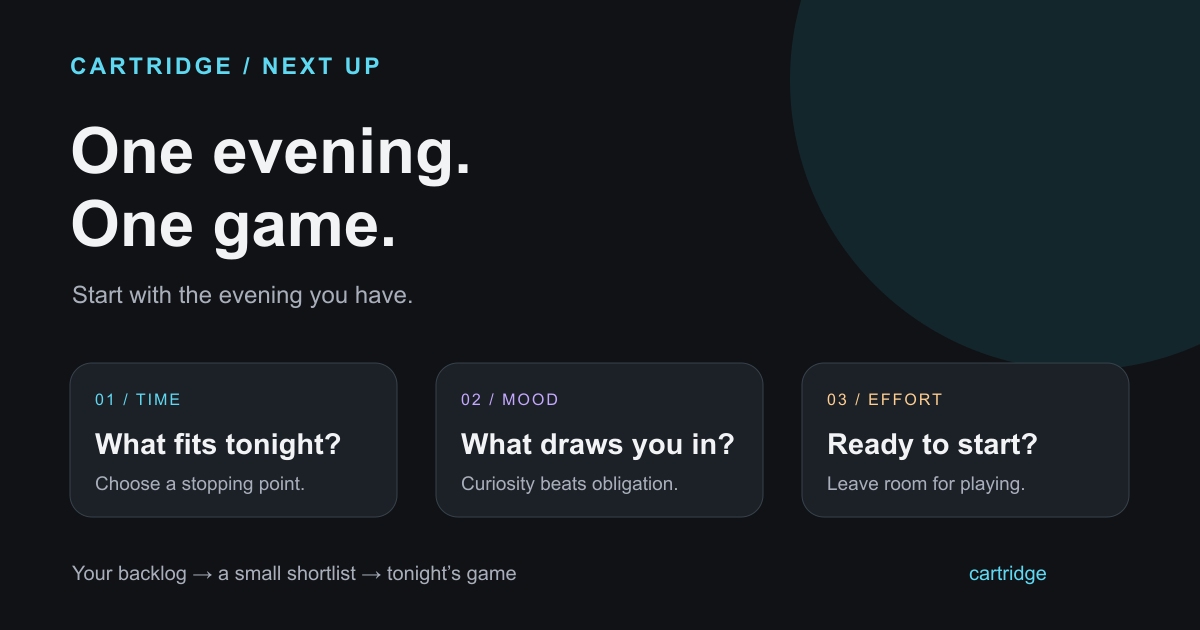
Choose the evening before you choose the game
A game can be high on your wishlist and still be a poor fit for tonight. A new role-playing game asks something different of you than a familiar puzzle game. Start with the limits you already know: your available device, your time and whether you feel like learning anything new.
Time
What fits tonight?
Think about this session, not the entire campaign. Can you reach a useful stopping point before you need to leave?
Mood
What sounds inviting?
A mystery to untangle, a world to wander, a challenge to practise, or something familiar. Pick the feeling you want.
Effort
How much setup?
Consider downloads, tutorials and remembering the controls. An installed game can be a better choice for a short evening.
Make a shortlist you can see all at once
Pull three games out of your wider collection. Three is a suggested starting limit, not a scientific rule. The point is to stop reconsidering the entire Library every time you have a free evening.
| Shortlist slot | Put this kind of game here | Useful when |
|---|---|---|
| Easy to start | Already installed; controls or rules feel familiar | You want to play with little setup |
| Curious about | One game whose idea keeps coming back to you | You want something new |
| Ready to return | A game you paused and still want to continue | You want to reconnect with a story or world |
Use games you can access on the device you plan to play on. A wishlist is a place for possibilities; it does not need to become a shopping list before tonight’s session.
Commit to a session, then see how it feels
- Choose the shortlist game that fits tonight’s time and mood.
- Launch it before you open another recommendation video or browse another store page.
- Look for a natural stopping point: a mission, a level, a run or a save point. You do not need to reach the ending to decide whether you want to continue.
- Afterwards, decide whether to keep playing, leave it for another day or stop. Write one sentence about what drew you in or put you off.
What if none of the games appeals?
Change one constraint instead of refreshing the same list. Choose a different mood, try a different device, return to something familiar or invite a friend to play. If nothing sounds good, leave the decision for another day.
You can also remove a game from the immediate shortlist without deleting it from your wider collection. Something you wanted last year can wait while a different game interests you now.
Too tired
Lower the setup
Choose familiar controls and a clear stopping point. Save the new systems for an evening when learning them sounds fun.
Too similar
Change the feeling
If you have just finished a long story, consider a puzzle, a short run or playing with friends. Variety is an option, not a rule.
No interest
Take the evening off
Your Library will still be there. You do not need a new purchase or a completion target to justify taking a break.
Keep the shortlist in Cartridge
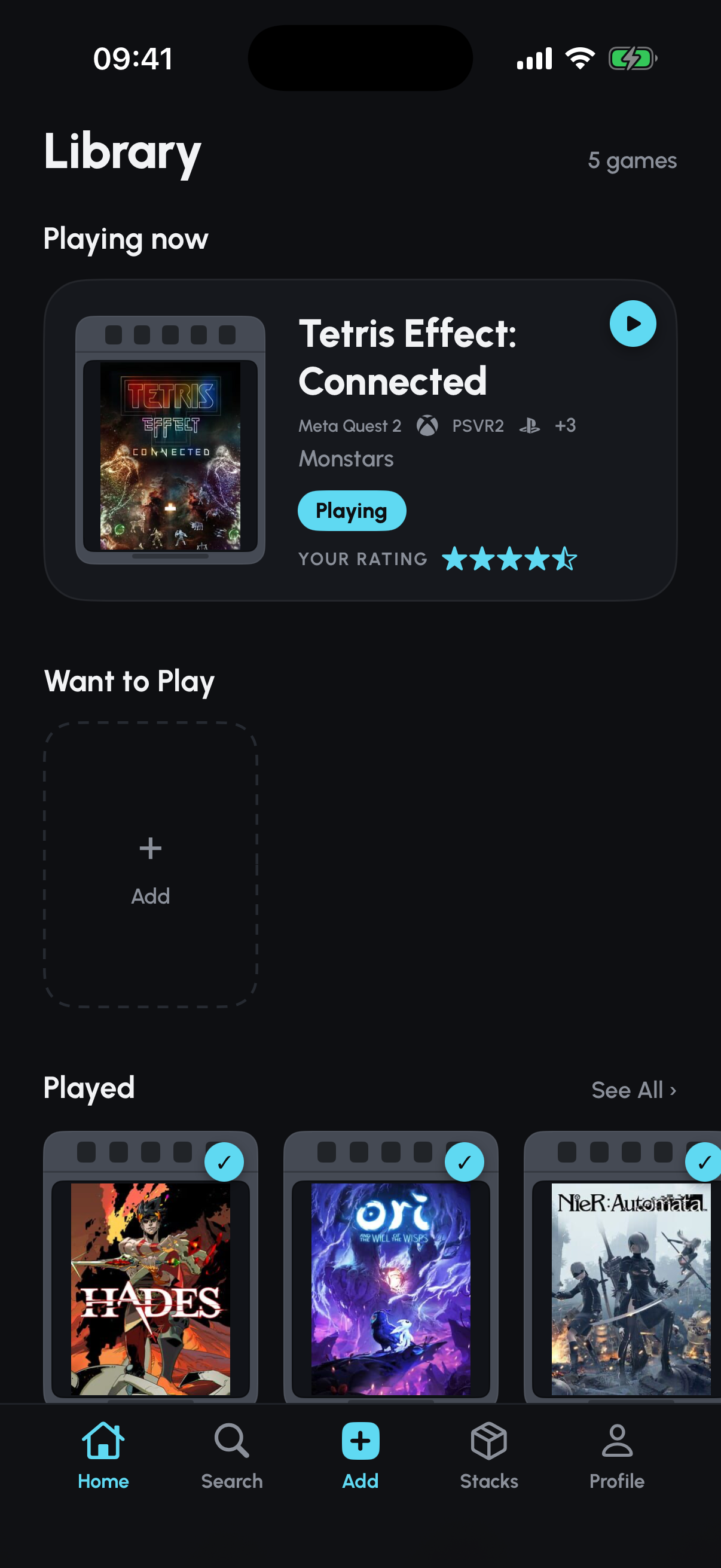
Cartridge is a free iPhone game tracker. Add your candidates to Want to Play, then make a Stack called “Next up” with those games and a note explaining why each made the cut. When you start one, update its Library status to Playing.
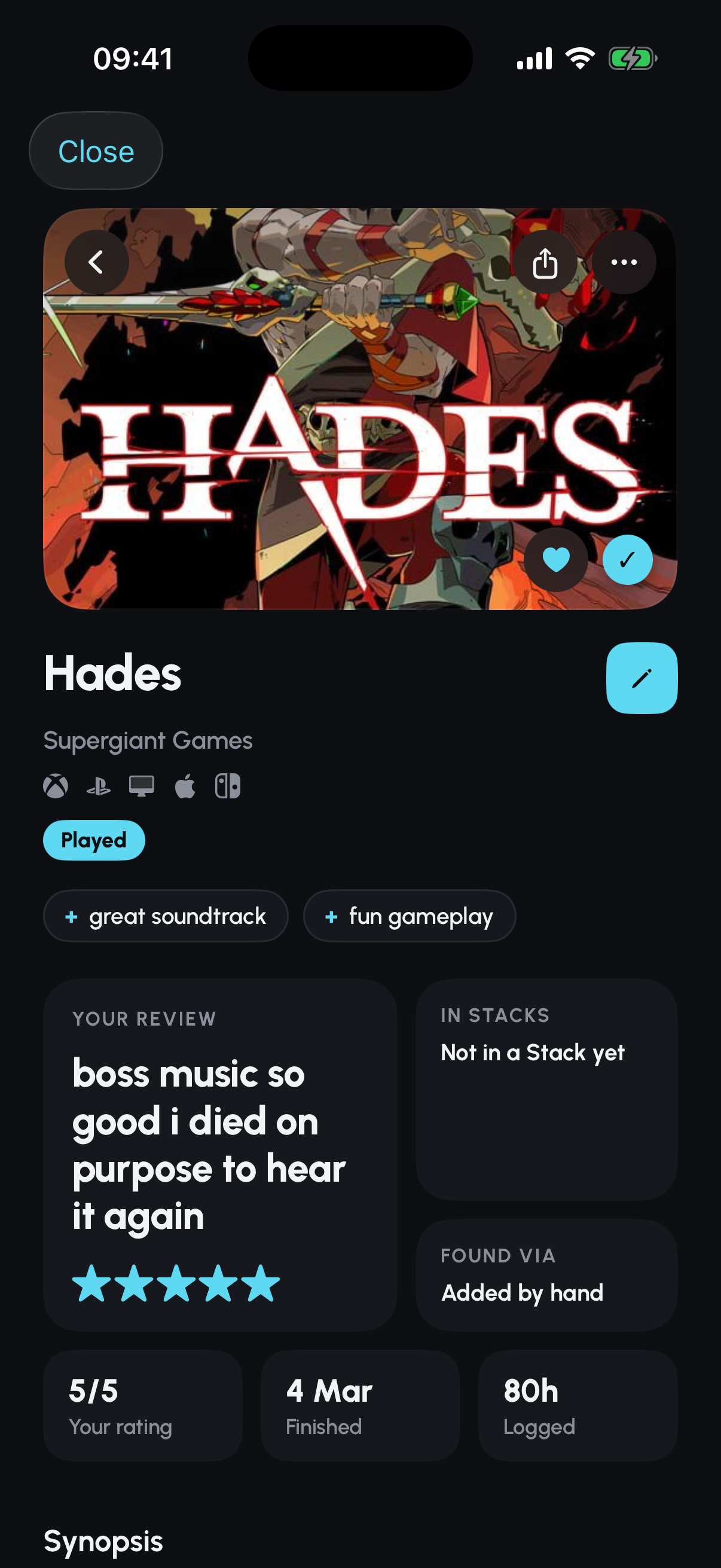
After a session, your rating and short review can record what you thought. If you finish or abandon the game, update its status. These features are free; you need an account and an iPhone running iOS 26 or later. Your Library can include PC and console games even though the tracker runs on your phone.
Give new discoveries somewhere to wait
A recommendation from TikTok or YouTube can arrive while you are enjoying something else. Save the discovery for later instead of adding it to tonight’s decision.
Share or paste a supported TikTok, YouTube, Instagram or Reddit link into Cartridge, check the identified game and add it to your Library. Social-link capture is free. Identification can miss a game; review the result before saving, or search by title when you know it.
Sources and editorial note
This guide is published by Cartridge, not an independent review site. It offers an editorial approach to choosing what to play. The linked player discussion helped identify the question; it is not a survey. Product details were checked on 2 October 2026. App images show a demo account.